Fake video call has recently become popular among young people on social channels, like TikTok, Instagram or YouTube. Sometimes, they use fake video call with celebrities to prank their friends or fulfill the desire to pursue their stars - appearing on the same screen with idols. It achieves this result by simulating the UI of some messaging and video calling app, such as WhatsApp, Snapchat and FaceTime. In such cases, one may try a fake video call generator or app to generate fake video call without even having an actual video call.
Part 1 How to Create Fake Video Call in FlexClip?
Ever wondered how to create this fake video call effect above and make it look just as amazing? Well, you’re in the right place! In this tutorial, we’ll walk you through everything step by step, making it super easy to follow—even if you’ve never tried it before.
Preset prompts: A realistic fake video call screenshot showing one main large video frame and a smaller picture-in-picture frame of another participant. The main participant is speaking or smiling, occupying most of the screen, while the smaller frame shows a surprised or laughing secondary participant. Include subtle UI elements such as call duration, participant names, mute/video icons, and notification badges. Both participants are in casual indoor settings with natural lighting. The interface resembles a modern video call app, with realistic reflections on faces and screens, high resolution, photorealistic style, and believable shadows and lighting.
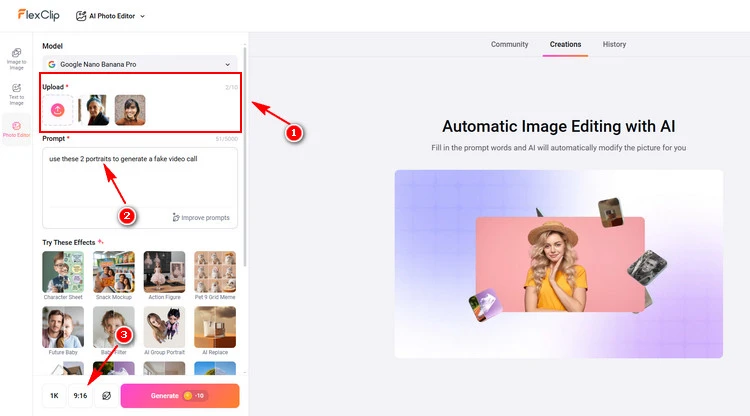
Generate Fake Video Call - FlexClip
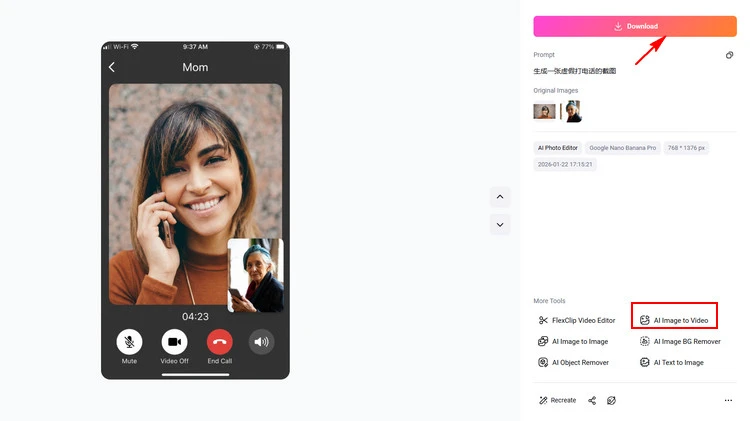
Get Your Fake Video Call - FlexClip
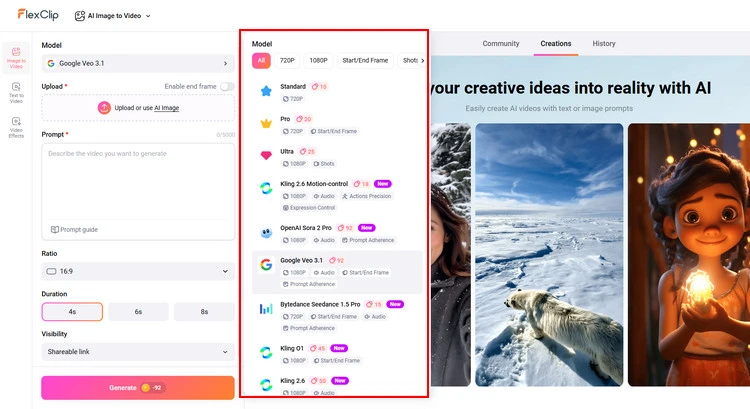
Choose AI Model - FlexClip
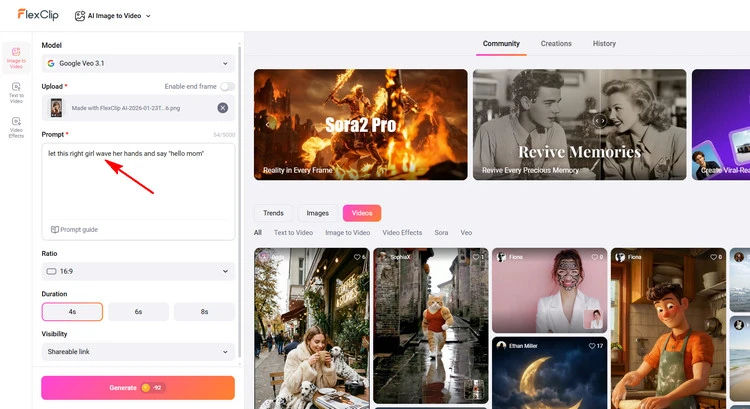
Type Your Prompt - FlexClip
Why Choose FlexClip to Create Fake Video Call?

AI Group Photo - FlexClip


Part 2 The Best Fake Video Call Apps - Fit for Android
2.1 Fake Video Call - Prank App
Fake Video Call - Prank
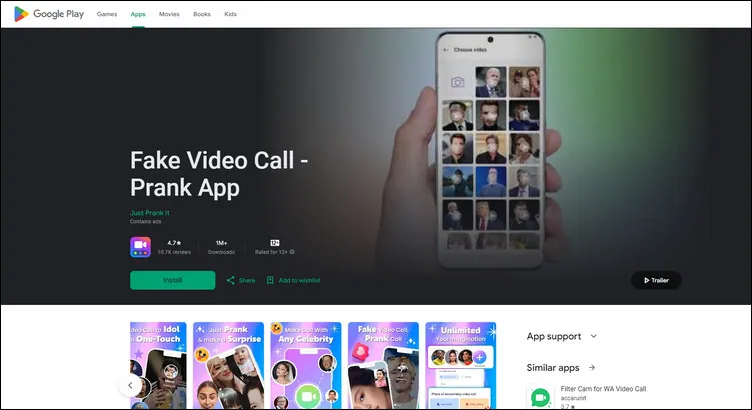
Fake Video Call - Prank app is a free app that lets you make fake video call on phone. It simulates the interface of video call for fun purposes. In this app, you could create a fake video background in an attempt to trick people into believing you're talking with celebrities. It's completely free to download and use for you. Whatever the conversation you want to look like, it is the best fake video call app for Android.
However, some users reviewed that there are so many ads in this app that will distract attention and ruin the fun of this app. And it’s more complicated than fake video call online since it needs to be downloaded before use.
2.2 FakeTime
FakeTime
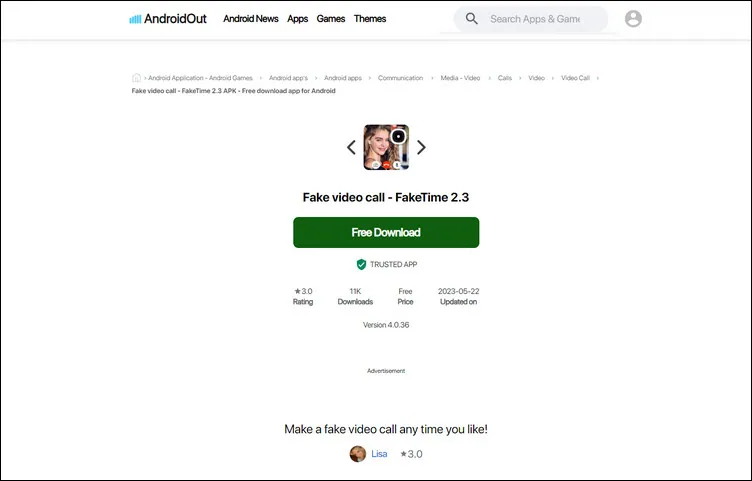
FakeTime is an easy fake video call generator on the phone. This app lets you fake video call with a few taps. The app is fully free, and it comes with a simple UI you can cope with immediately. You can switch between front and back cameras and simulate fake video and fake caller ID. The app also has pre-installed videos and supports high-quality video. You can even schedule a fake call and customize fake caller name, number, picture, and video.
With FakeTime, you can get yourself out of a date, a meeting, or a boring situation by giving yourself a fake call.The app offers several features such as simulating fake calling screens as Messenger, WeChat, Line app, and Android phone.
Conclusion
These different 3 fake video call online generators and apps have their own merits. So we will make different recommendations according to your needs. FlexClip can satisfy your claim to make fake call video with audio and make fake video call with picture. I hope that you got your answers through this article. Now, it’s your move!




FlexClip AI Video Maker
Reach professional-quality videos faster with easy editing tools, templates, and smart AI.
Start Now for Free
Hot & Trending
-

Best Ways to Find Music in YouTube Videos
-

Instagram Story Video Quality Bad After Upload? Fix It!
-

How to Repost Video on TikTok & How to Remove TikTok Repost
-

Improve Video Quality Online: 3 AI Video Quality Enhancers You Can't Miss
-

4K Convert to HD 1080p without Watermark: Best 4k Video Converters
-

Top 13 Birthday Video Makers with Music and Effects Free
-

How to Search Filters on TikTok & Use a Filter You See - TikTok Filter Guide
-

Large Collection of Creative and Funny Birthday Video Ideas for Ones You Care