Create a Facebook Slideshow Online for Free
FlexClip's free Facebook slideshow maker lets you create captivating slideshows combining images, audio, and footage without software downloads. Share personal memories of special occasions such as birthdays, weddings, or anniversaries, grow your business, advertise campaigns, or showcase your portfolio; FlexClip helps you get them covered easily! There are collections of well-designed templates with exciting visuals, animations, graphics, and text. Customize one to align with your video topic and message, including changing text color, font, and size and applying overlays, transitions, and stickers. No video editing skills required for all. Try it for free right now!
Make a Free Video Handy video editor
 Rich video templates
 Extensive media library
 Dynamic text animations
- Trusted by:






Free Appealing Facebook Slideshow Templates
 PreviewCustomize
Memorial Slideshow
 PreviewCustomize
Wedding Love Memory Collage Slideshow
 PreviewCustomize
Realistic Epic American Labor Day Honoring Workers History Slideshow
 PreviewCustomize
Retro Watercolor Bokeh Family Memorise Photo Collage Slideshow
 PreviewCustomize
Pure Wedding Memory Collage Save The Date Slideshow
 PreviewCustomize
Tribute Slideshow
 PreviewCustomize
Love Story Photo Album Propose Slideshow Video
 PreviewCustomize
Retro International Labor Day History Introduction Photo Slideshow
 PreviewCustomize
Golden Bokeh Best Friend Memories Photo Slideshow
 PreviewCustomize
Flame Particle Modern New Car Promo Business Slideshow
 PreviewCustomize
Watercolor Baby Birthday Congratulation Photo Collage Slideshow
 PreviewCustomize
Blue Modern Online Education Course Promotion Slideshow
Why You Need to Make a Facebook Slideshow

Share Moments
Making a video story is a great way to share your important moments with family and friends.

Evoke Emotion
A video can convey strong emotion and resonate well with audiences.

Improve Engagement
People are more likely to engage, share, and comment on video content.
How to Make a Facebook Slideshow in 3 Steps
- 1
Add Media
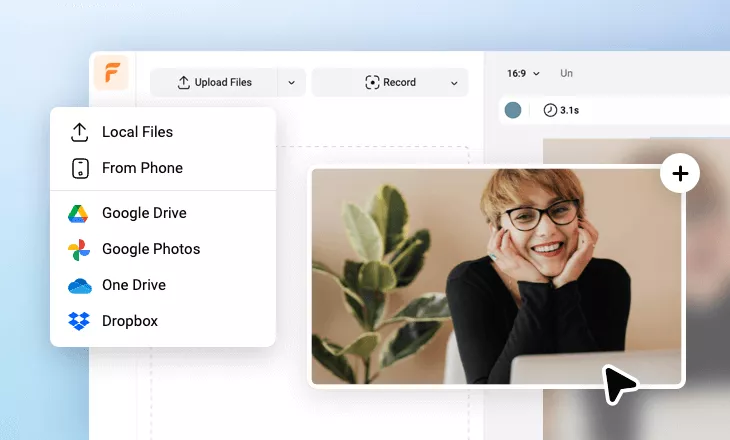
Add videos or photos from computer or stock libraries to the scene.
- 2
Customize
Add text, music, and voiceover to customize your facebook slideshow video.
- 3
Export
Download your facebook slideshow video in various ratios and definitions or share it online with the world.